
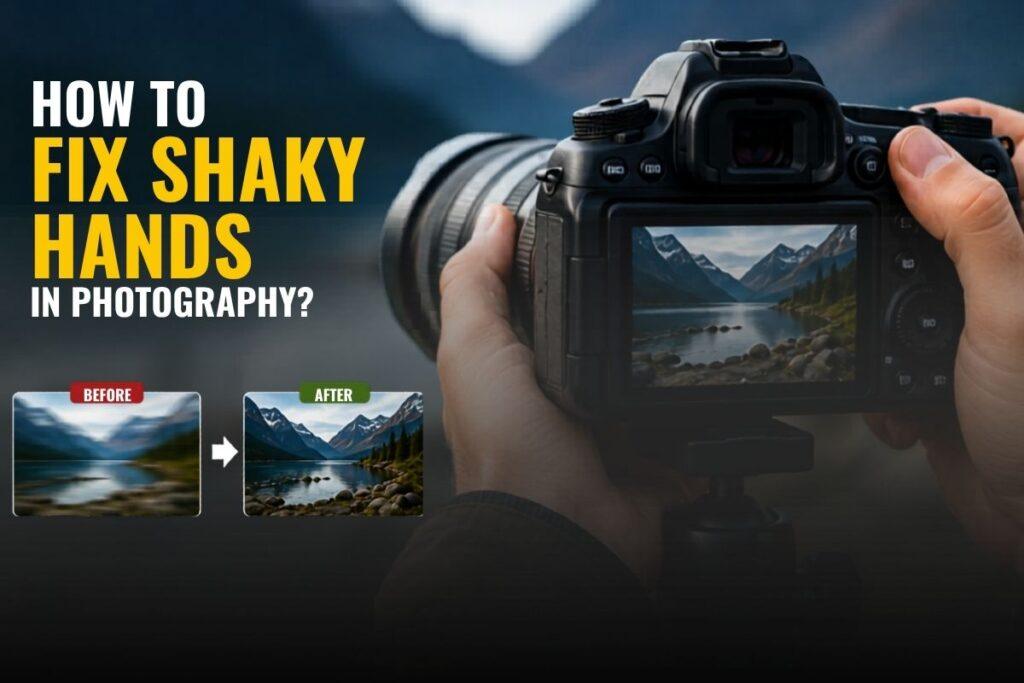
Shaky hands mess up more good photos than bad light ever will. You frame the shot perfectly, the moment is right there, and then you check the screen, and it is soft. Blurry and gone. If that keeps happening, there are real reasons behind it and practical fixes that work. This guide covers everything from why your hands shake while holding a camera to the settings, techniques, and gear that photographers use to get sharp images consistently.
Why Do Your Hands Shake While Taking Photos?
Shaky hands in photography rarely come from one single cause. More often, it is several things stacking on top of each other.
Stress and nervousness before a shoot raise muscle tension across your whole body and make your hands physically less steady. Too much caffeine is something photographers overlook constantly. It sharpens mental focus but genuinely increases fine motor tremor because it stimulates the nervous system.
Weak grip strength becomes a factor on longer shoots when the muscles in your hands and forearms tire without you noticing. Heavy camera lenses, particularly telephoto glass above 200mm, pull the camera forward and force your arms to compensate, which creates more shake rather than less.
Slow shutter speed is the single most misunderstood cause. Many photographers think they have shaky hands when the real problem is the shutter staying open long enough to record natural body movement. Poor posture forces your arms to carry more weight than they should.
Fatigue hits noticeably around the two or three-hour mark. Cold weather stiffens the muscles and reduces grip responsiveness. Low blood sugar affects coordination in ways most people never connect to their photography. Essential tremors, a neurological condition that is not the same as Parkinson’s disease, affect a significant number of adults and make handheld shooting genuinely harder without the right technique and gear.
Understanding why my hands shake while taking pictures often starts with recognising that most causes are correctable once you identify them.
Camera Settings Based on Situations
Getting your settings right removes a huge amount of camera shake before technique even comes into it.
Photographers rely on the reciprocal rule for the best shutter speed to avoid blur: your shutter speed should at a minimum equal your focal length. At 50mm, shoot at 1/100 sec minimum. At 200mm, you need 1/400 sec. Above 300mm push to 1/640 sec or faster. Go below those numbers handheld, and you are gambling on every frame regardless of how steady you feel.
In low light indoors, raise your ISO rather than letting the shutter drop. A grainy image is recoverable. Blur is not. In overcast outdoor conditions, Aperture Priority mode protects your shutter speed automatically while you control depth of field. Always turn on image stabilisation if your lens or body has it. Canon labels it IS, Nikon calls it VR, Sony uses OSS, and Tamron uses VC. These systems physically compensate for your hand movement in real time and make a real difference, especially at slower speeds or with longer lenses.
Emergency Quick Fixes Before Your Next Shot
Sometimes you need steadier hands right now with no time to change anything.
Find something solid and use it as a brace. Press your camera, your elbows, or your forearms against a wall, a railing, a car, anything that does not move. If there is nothing around, sit down and rest your elbows on your knees. That triangular position is genuinely stable. Pull your elbows in tight against your chest rather than letting them float wide. It looks awkward, but it cuts movement down fast.
Hold your breath for two seconds before pressing the shutter. Breathing is a constant movement, and firing mid-breath is one of the most overlooked causes of blur. Use burst mode and fire three or four frames back to back. The middle shots are almost always the sharpest because your body settles after the first press. For static subjects, the two-second timer removes the jolt of pressing the button entirely.
Smartphone vs DSLR Solutions
These two platforms need different approaches entirely.
The biggest smartphone shaky camera fix is to stop tapping the screen to take the photo. That tap physically moves the device at the moment of capture. Use the volume button or a cheap Bluetooth remote instead. Hold the phone with both hands, brace your wrists inward toward your body, and switch to Pro or Manual mode to control shutter speed directly. Make sure OIS is switched on in your camera app settings. For shaky video footage already recorded, Kapwing’s free browser-based video stabiliser handles most clips quickly with nothing to install.
On a DSLR or mirrorless body, grip technique matters far more than beginners realise. Your right hand holds the camera body, and your left hand sits flat underneath the lens, palm up, supporting its weight from below, not gripping the side of the barrel. Support from below creates a stable platform and stops the rocking motion you get when a heavy lens pulls the camera forward. Stand with your feet shoulder-width apart, elbows in, and exhale before you press the shutter.
Can Anxiety Cause Shaky Hands in Photography?
Yes, and it is more widespread than the industry admits. Performance anxiety is a real physical experience, not just a mental one.
When adrenaline kicks in before or during a shoot, your heart rate rises, your muscles tighten across your shoulders and arms, and fine motor control drops. Nervous wedding photographers feel this hardest during ceremonies when pressure peaks and light is often at its worst all day. The same adrenaline effect hits portrait photographers mid-session when a shoot is not going to plan.
Stress during shoots creates a feedback loop where anxiety increases, shakes, and increased shakes increase anxiety.
The best fix is preparation. Arrive early, walk the space, and know where you will stand for each key moment. Familiarity lowers the adrenaline response before you even pick the camera up. Burst mode is a practical tool here, too, because knowing you have backup frames behind each shot takes the pressure off each press of the shutter.
Photographer Exercises for Steadier Hands
These photography hand stabilisation tips build the physical foundation that no camera setting can replace on its own. Squeezing a grip trainer for thirty seconds a few times a day builds the hand and forearm endurance that fades during long shoots.
Wrist rotations before a session loosen the joints that stiffen from desk work or cold. Finger extension exercises, spreading your fingers wide and holding for a few seconds, improve the coordination between grip and release. Core training and yoga feed directly into steadier handheld shooting because upper body stability starts well below the hands and genuinely shows up in how photographers keep cameras steady across a full day of work.
Best Lightweight Cameras for Shaky Hands
In-body image stabilisation is the feature to prioritise if gear is part of your problem.
The Fujifilm X-T5 weighs around 557g and gives 7 stops of IBIS, making it one of the best lightweight options for serious stabilisation. The OM System OM-5, at just 414g, is weather-sealed and handles telephoto work well for its size, popular with travel and wildlife photographers who cannot carry heavy rigs. The Sony A7C II packs 5-axis IBIS into one of the slimmest full-frame bodies on the market. The Nikon Z6 III offers excellent stabilisation with strong low-light performance in a manageable package. For maximum compensation, the Canon EOS R5 Mark II delivers 8.5 stops of IBIS and is what many wedding photographers rely on in dark ceremony rooms.
AI and Software Stabilisation Tools
Do not delete a blurry shot before trying to recover it. Software has become surprisingly powerful at helping you reduce blurry photos handheld after the fact.
Adobe Photoshop has a Camera Shake Reduction filter under Filter, then Sharpen. It analyses the blur pattern, identifies the direction of the shake, and reconstructs lost detail. It works well on mild to moderate blur and occasionally saves frames that look completely gone. For video, Topaz Video AI uses dedicated stabilisation models that work frame by frame, correcting movement without the heavy cropping that older stabilisation tools relied on. The results on handheld footage are impressive. Kapwing’s free online stabiliser handles social media clips quickly with no software installation.
Real-Life Photography Scenarios
Wedding photographers shooting in dark churches typically use 1/200 sec or faster, bump ISO rather than dropping shutter speed, and favour fast prime lenses like a 35mm f/1.4 or 85mm f/1.8 over heavy zoom lenses. Monopods are common during ceremonies because they give stability without blocking the aisle. Burst mode through key moments means at least one frame in the sequence will be sharp.
Wildlife photographers working with 500mm or 600mm lenses cannot handhold reliably for extended periods. Professionals rest the lens on a bean bag over a car window, use a gimbal head on a heavy tripod, or pair their body with a lens that has strong optical stabilisation built in. When shooting from a vehicle, the engine goes off before they press the shutter. Every source of vibration is removed first.
Shaky Hands May Be a Medical Issue
If your hands shake consistently outside of photography, at rest, while writing or eating, talk to your GP.
Essential tremor is one of the most common neurological conditions in adults and is frequently confused. It is not the same thing and does not carry the same implications. Many working photographers have essential tremor and produce sharp professional images every day with the right gear and technique. The condition is very manageable. But if the shake is new, noticeably worsening, or starting to affect other areas of daily life, that conversation with a doctor matters more than any camera setting or technique.
Sources & References
- Explorewithalec.com: How to Stop Camera Shake
- Cambridge in Colour: Reducing Camera Shake Handheld
- Adam Rhodes Photography: Photography With Shaky Hands
- Learn Photography Canada: 4 Ways to Steady Your Hands
- Ivan Barrera Photography: How to Fix Shaky Hands
- Camera Jabber: Best IBIS Cameras 20
- Toolify.ai: Photoshop Camera Shake Reduction
- Topaz Labs: Video AI Stabilisation
- Kapwing: Free Video Stabiliser