
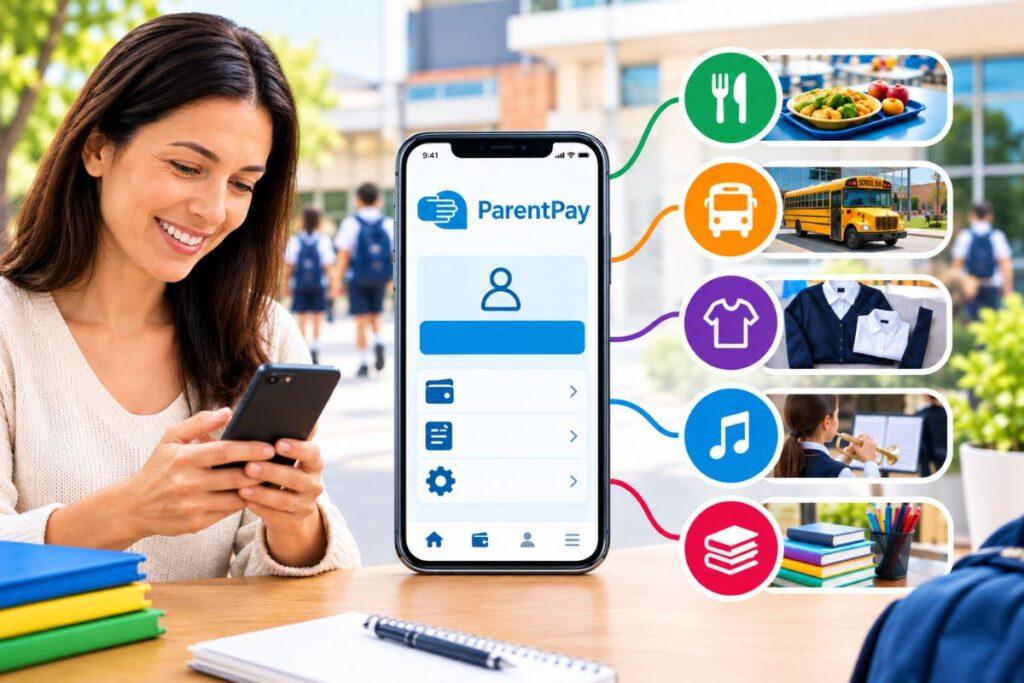
ParentPay is an online payment service used by many schools in the United Kingdom. It gives parents and guardians a way to pay for school meals, trips, clubs, uniforms, activities and other education-related costs without sending cash with their children. Schools use the system to collect payments, manage records and reduce the amount of cash handled by staff.
Although ParentPay is simple to use, many parents still have questions about how it works, what it can be used for, whether it is safe and what to do when a payment or account problem occurs. This guide explains the service in clear terms.
What is ParentPay?
ParentPay is a school payment platform. A school creates payment items on the system, and parents access those items through an online account connected to their child.
For example, a school may add a request for a school trip, a week of dinner money, an after-school club or a new uniform. The parent can sign in, check the details and pay using one of the methods made available by the school.
The platform was designed to replace many cash and cheque payments. Instead of giving money to a child to carry to school, parents can make the payment online and receive a digital record.
ParentPay may be used for:
- School meals and dinner money.
- Breakfast and after-school clubs.
- Day trips and residential visits.
- School uniforms and equipment.
- Music lessons and sports activities.
- Examination fees.
- School events and performances.
- Nursery meals and activities.
- Voluntary contributions and donations.
Not every school uses all these features. The services available depend on the school’s own payment and catering arrangements.
Where is ParentPay used?
ParentPay is mainly used by schools and education organisations in the UK. Primary schools, secondary schools, academies, independent schools, Multi-Academy Trusts and local authorities may use the service.
Parents usually hear about ParentPay through a school letter, email, website or parent portal. The school normally provides activation details and links the child’s record to the parent’s account.
ParentPay’s website describes the platform as being used by more than 11,000 schools and over four million parents. These are company-provided figures and may change over time
The name may also appear in other countries through related education and catering services. However, the payment methods and features can be different outside the UK. Parents should rely on information supplied by their own school.
How does ParentPay work?
A school first creates payment items for parents. These items may have a set price, a payment deadline or an option to pay in instalments.
The parent then receives account activation information. During the first login, the parent may be asked to create a personal username and password and register an email address for receipts and reminders.
A normal payment usually follows this process:
- Visit the official ParentPay website.
- Sign in to the parent account.
- Select the relevant child.
- Open the meal or other payment section.
- Choose the item that needs to be paid for.
- Check the amount, description and deadline.
- Add the item to the basket or select an available payment option.
- Complete the transaction.
- Save the confirmation or receipt.
ParentPay’s payment guidance says parents can find items through meal-payment options, other payment items or the active-payment section of the account.
The layout may look slightly different on a computer, tablet or phone, but the basic process remains similar.
What can parents pay for?
School meals
Schools may use ParentPay for lunch payments, meal balances, snacks, breakfast clubs and nursery food. Depending on the school’s catering system, parents may add money to an account or select meals in advance.
Some schools use additional meal-management software connected to ParentPay. This can allow parents to view or choose meal options, although the exact features vary.
Trips and visits
Parents can often pay for day trips, residential visits, sports events and educational activities through ParentPay. A school may request the full amount at once or divide the cost into instalments.
Paying for a trip does not always confirm permission to attend. A separate consent form, medical form or emergency-contact form may still be required.
Clubs and activities
Breakfast clubs, after-school clubs, music tuition, sports sessions and holiday activities may also appear in the account. Some activities have limited places, so parents should check whether a separate booking is required.
Uniforms and equipment
Schools may use ParentPay to collect money for uniforms, books, stationery, technology equipment and other supplies. The payment description should explain what the charge covers and how the item will be delivered or collected.
Examinations and events
Older pupils may have examination fees or other education-related charges listed in ParentPay. Schools may also use the platform for concerts, performances, graduation events and activity days.
Donations and contributions
Some schools use ParentPay for fundraising and voluntary contributions. Parents should read the wording carefully to understand whether a payment is optional or required.
Which payment methods are available?
The options depend on the school and the type of payment.
Debit or credit card
Many parents pay directly online using a debit or credit card. The process is similar to other online transactions. Parents should check the website address before entering payment details and avoid using unfamiliar links.
Bank transfer
Some accounts allow parents to pay by bank transfer. The school or ParentPay system may provide specific instructions and a reference number.
Bank transfers may take longer to appear than card payments. Parents should allow enough time before a school deadline and keep proof of the transaction.
PayPoint
Parents who prefer to pay in cash, or who cannot make an online card payment, may be able to use PayPoint. The school normally provides a barcode or payment reference that can be used at a participating shop.
ParentPay states that PayPoint can be used for items such as school meals, trips and clubs.
A parent should keep the PayPoint receipt until the payment appears in the account or the school confirms that it has been received.
Why do schools use ParentPay?
ParentPay can reduce the amount of cash that school staff need to collect, count, store and deposit. It also provides a clearer record of transactions.
For parents, the main benefits may include:
- Paying from home or another location.
- Checking payment history online.
- Receiving electronic receipts.
- Avoiding the risk of children losing cash.
- Paying for several school services in one place.
- Using PayPoint when online payment is not suitable.
- Receiving reminders about balances or deadlines.
Schools can use the system to monitor payments, identify outstanding amounts and organise different types of income. ParentPay also provides payment and meal-management services for schools and education groups.
However, the platform does not replace every school process. Parents may still need to complete forms, speak to staff about refunds or contact the school about financial assistance.
Is ParentPay a bank account?
No. ParentPay is not a regular bank account and is not designed for general shopping or money transfers.
The balance in an account may relate to school meals, a trip, a club or another particular service. Parents should not assume that money can always be transferred freely or withdrawn.
The school usually controls the payment items, deadlines and refunds. If money has been added incorrectly or linked to the wrong child, the school’s finance office should normally be contacted first.
Is ParentPay safe?
ParentPay is intended to make school payments more secure and reduce the need for children to carry cash. It can also provide an electronic record after a payment has been completed.
Parents should still protect their accounts by following basic security measures:
- Use the official ParentPay website.
- Check the web address before signing in.
- Choose a strong, unique password.
- Never share passwords or activation codes.
- Do not use suspicious payment links.
- Keep receipts and confirmation messages.
- Contact the school if bank details suddenly change.
- Avoid entering card information on public computers.
If a message asks for an urgent payment to an unfamiliar bank account, parents should verify it directly with the school using contact details from the official school website.
Common ParentPay problems
The activation details do not work
Check that the details have been entered correctly and have not expired. If the problem continues, the school may need to issue new activation information.
A payment is not showing
Card payments may appear quickly, while bank transfers and PayPoint payments can take longer. Keep the receipt and contact the school if the payment remains missing.
The wrong child is displayed
Do not make another payment until the account has been checked. The school can correct the pupil record or link the child to the appropriate account.
The amount looks wrong
Read the item description, quantity, instalment information and deadline. If anything appears incorrect, contact the school before paying.
A refund has not arrived
Refunds are usually handled by the school because the school controls the trip, club, meal or event. Parents should provide the transaction date, amount and reference when asking for an update.
Final Thought
ParentPay is a digital school payment system that allows parents to pay for meals, trips, clubs, uniforms, activities and other education-related services. Depending on the school, payments can be made by card, bank transfer or PayPoint.
Its main purpose is to reduce cash handling and give schools and families a clearer record of payments. The exact features differ between schools, so parents should always follow the instructions provided by their child’s school, check deadlines carefully and keep payment confirmations.
FAQ’s
Q. Is ParentPay free?
A. Parents should check the information shown by their school and on the payment screen. Arrangements may differ depending on the school and payment method.
Q. Can every school use ParentPay?
A. No. A school must choose to use ParentPay or a related service. Parents generally need an invitation or activation details.
Q. Can one account include more than one child?
A. This may be possible, depending on the schools and account arrangements. Parents should ask the school for instructions before creating additional accounts.
Q. Does paying confirm consent for a trip?
A. Not necessarily. Some schools require payment and consent to be completed separately.
Q. Who should parents contact for help?
A. The school is usually the best first contact for missing payments, incorrect charges, refunds, trip information and meal arrangements. ParentPay support may help with technical access problems.